Queue Event Sink
A new Event Sink is available (from build 2026-06-01), permitting the temporary storage of logged events into a local Queue. Queues perist elements in an encrypted manner, and processes them in accordance with FIFO (First-In-First-Out) order. A queue frees processes that generate items from processes that process these items. They can work in different paces, and can be updated/run on different times.
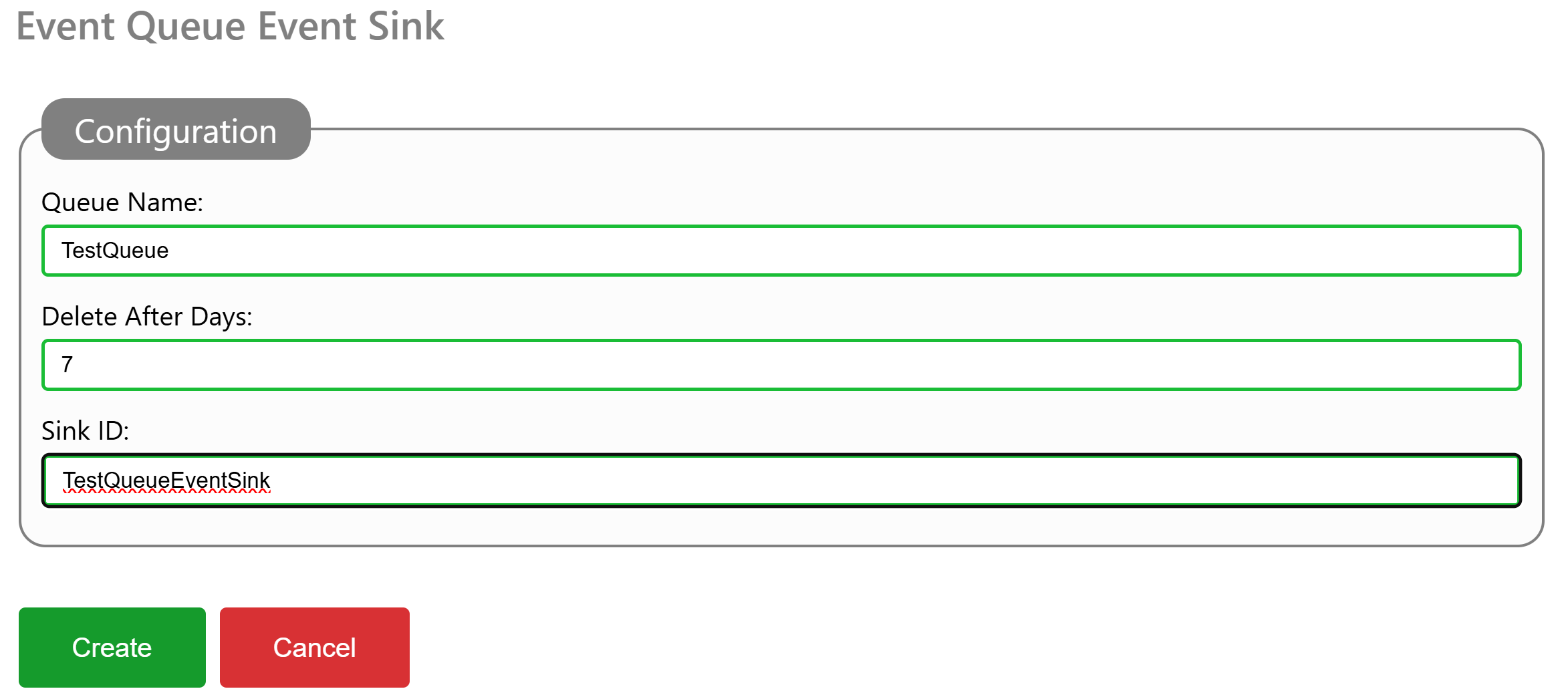
To configure a Queue for temporary encrypted storage, you add a EventQueue element to the event sinks section of the Gateway.config file, and restart the Neuron®. You can also add such an event sink, via the administrative interface, under Sources & Nodes, and the Gateway configuration source.
You need to provide a Name for the Queue. This Name is later used to dequeue items that have been enqueued by the event sink. You also provide a number of days which items are stored in the queue. Older items are regularly purged from the queue, to avoid it growing indefinitely. A Sink ID must also be provided. This ID appears in event logs, in case something related to the event sink needs reporting.
To access enqueued events, you can either dequeue them in local services, or use the Queue API. If you are using Postman, there’s a public repository containing a Postman collection for the Queue API.
#new, #features, #neuron, #gateway, #events, #eventsink, #api, #queue
Posts tagged #eventsink
No more posts with the given tag could be found. You can go back to the main view by selecting Home in the menu above.