Testing WebHooks
When developing server-to-server applications, it is important to be able to test webhooks without leaking sensitive or private information. To avoid having to use 3rd party services, such as webhook.site a new package has been made available containing a service that can be installed on any Neuron®, that allows you to view incoming POST requests in a similar fashion.
Installable Package
The Web-Hook Tester service has been made into a package that can be downloaded and installed on any TAG Neuron. If your Neuron is connected to the TAG Neuron network, you can install the package using the following information:
| Package information | |
|---|---|
| Package | TAG.WebHookTester.package |
| Installation key | Mb9pim8FTjHBnju2f2ZVNHBRbOG3VHhM7iBn26mgcvc/uwjouWjHEF0OmcC/noKEuZAOWZY6Ka4A4abb4fc2a2596e04f047400e3218dcd2 |
| Repository | WebHookTester repository at GitHub |
Installing the package via the administrative console (Chat Admin), can be done using the following command:
install nobackup TAG.WebHookTester.package Mb9pim8FTjHBnju2f2ZVNHBRbOG3VHhM7iBn26mgcvc/uwjouWjHEF0OmcC/noKEuZAOWZY6Ka4A4abb4fc2a2596e04f047400e3218dcd2
Starting service
The WebHook tester service appears in the administrative portal, in the Software section:
Pressing it, opens the following page: https://lab.tagroot.io/WebHookTester/Show.md

Note: This page does not require client authentication, and can be used anonymously.
Note 2: You can also use the script prompt to make custom POST calls to the page. This requires elevated privileges however, and cannot be done anonymously.
Creating a Page
Enter an ID and press the Start button to create a new page you can POST to. Since the service can be accessible by anyone, use an ID that is difficult to guess, if you do not want others to get easy access to the information. Press the Randomize button to create a random ID. You can customize the random ID to remember the purpose of the page, if you have multiple pages open.

Test Page
When you press the Start button, a new page is opened. It contains instructions how you can POST to the page:
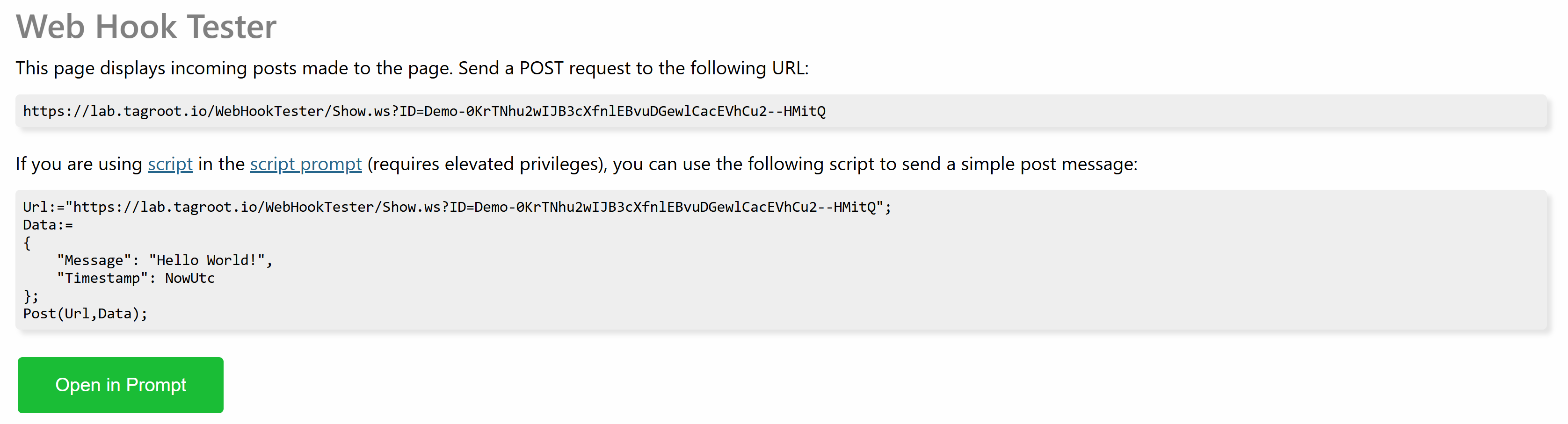
Use the URL presented to POST to the page. If you want to test a back-end service integration, this is the URL you provide as a webhook callback URL. Any POST made to this URL will be displayed on the page.
Note: Nothing is saved or persisted on the page. The page does not remember previous POSTs, so if you refresh the page you loose the information on the page.
Note 2: Make sure to differentiate between the URL of the page (which points to a resource with extension .md) and the URL to POST to (which points to a resource with extension .ws).
Incoming POSTs
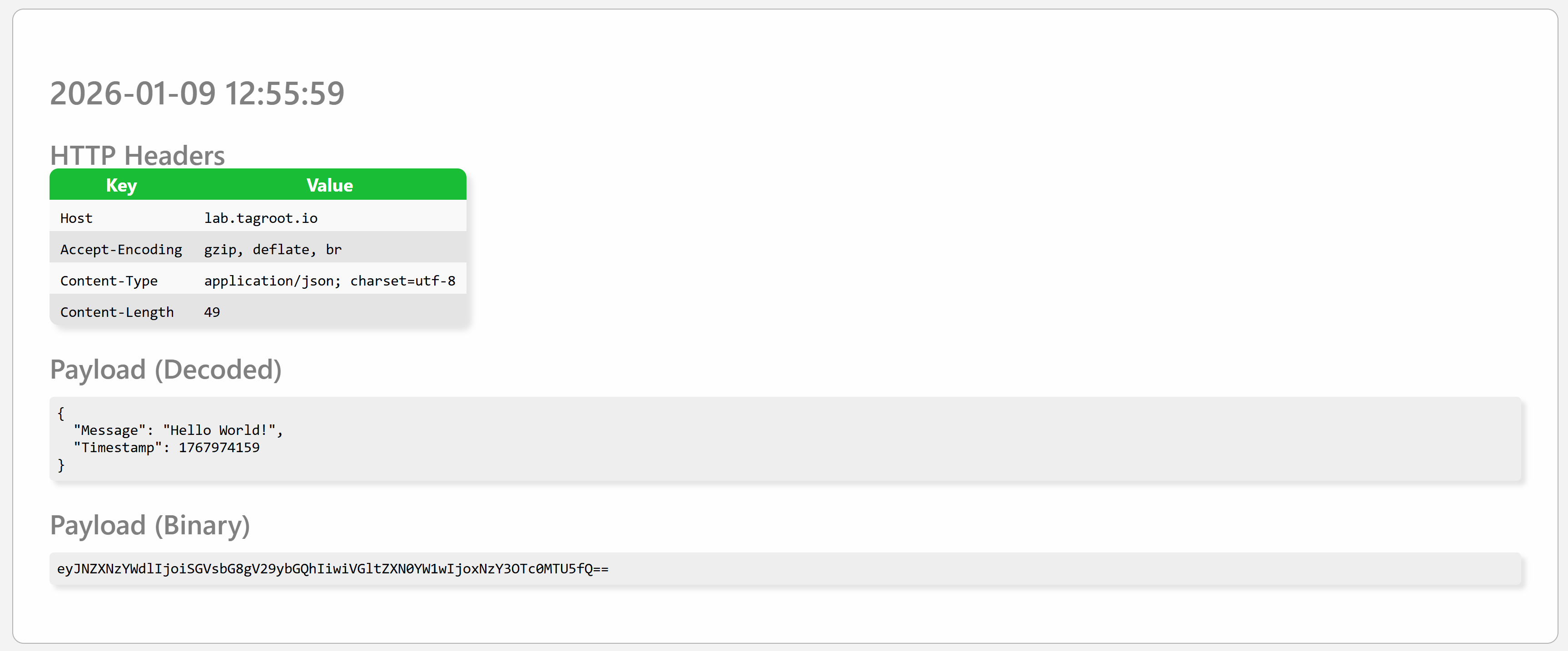
As soon as an incoming POST is made, it is displayed on the page as follows. It displays the time of the event, any HTTP headers in the request, together with a textual representation of the payload (if content is text-based), as well as the binary payload, BASE64-encoded. Each POST is presented in its own SECTION tag on the page.
Responses
The response to a POST call to the resource will be a JSON object with one property called Forwarded, which indicate the number of pages the information was forwarded to. If this number is 0, the page has closed or lost contact with the Neuron. Example:
{
	"Forwarded":1
}
Tunneling POST request over XMPP
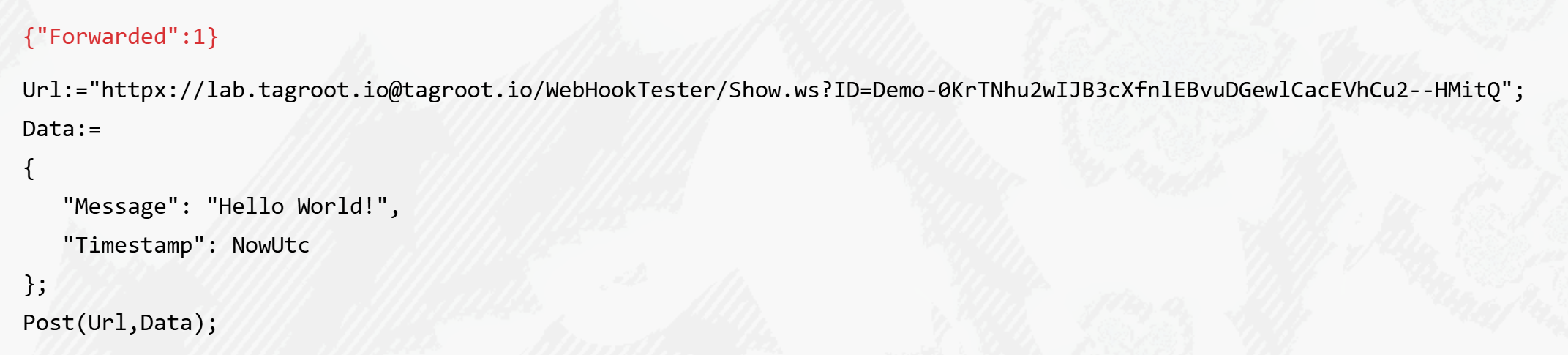
As the Neuron is connected to the XMPP network as well, since it is hosted on the IoT Gateway, the POST request can be tunneled over the XMPP network using the httpx:// URI scheme. This permits you to do callbacks to local development machines, or machines not accessible via the Internet.
To achieve this, you need to perform the call from another instance hosted on the IoT Gateway. It can be the IoT Gateway itself, Lil’Sis’ or another instance of the TAG Neuron, including a development version on a local machine. You replace the https scheme in the URI with the httpx URI scheme, and replace the host with the JID of the recipient. For the call to succeed, the sender and receiver need to be friends, i.e. have approved presence subscriptions, for the call over XMPP to be possible.
This can be easily tested using the script prompt:
Note: Any software using the Waher.Content Internet Content-Type abstraction, and the InternetContent content access methods, together with the Waher.Networking.XMPP.HTTPX library (containing the httpx URI scheme definition) will automatically support httpx URIs.
Note 2: Since the QuickLogin API and RemoteLogin API are both hosted on the TAG Neuron®, you can register httpx callback URIs with these APIs. This makes it possible to host the recipient service behind a firewall, as long as it supports the HTTP over XMPP protocol