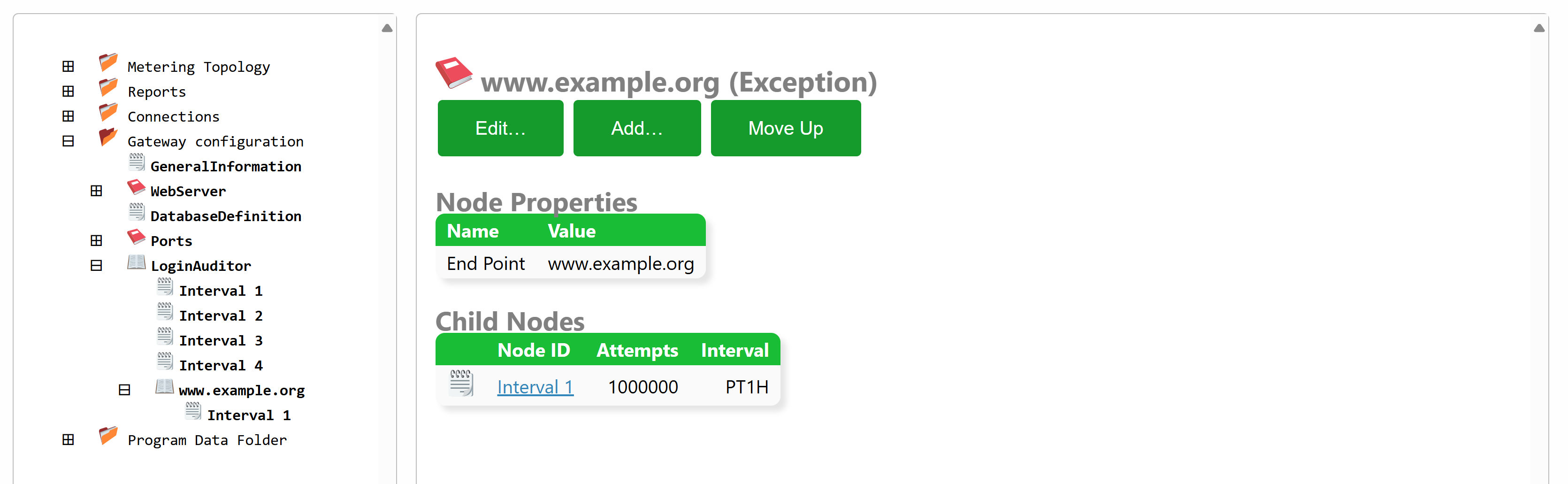
Login-Auditor Exceptions
From build 2025-02-27 it is now possible to configure exceptions for endpoints in the Login Auditor that monitors all login attempts. The purpose of the Login Auditor is to detect malicious users and temporarily block them, and finally permanently block them, before they can gain access to the system by guessing user credentials.
The Login Auditor is configured in the Gateway.config file (also accessible under the Sources & Nodes and Gateway Configuration in the administration portal). The configuration consists of a sequence of growing intervals, and the number of allowed failed login attempts permitted from each remote endpoint. By creating an exception, you can provide another sequence of intervals and login attempt limits for those endpoints. If they are more permissible, they can be seen as white-listed to some extent.
Endpoint exceptions can be defined in three different ways:
- By specifying the IP addresses explicitly, one at a time.
- By specifying IP address ranges using CIDR format.
- By specifying domain names, if the remote endpoints connect to the Neuron® using mTLS.